Features to Look for in Boat Tour Management Software
A plain checklist for boat tour software demos: scheduling, payments, messages, manifests, support and price.
 The GoFish.Rocks Team•October 7, 2026•5 min read
Every software demo looks great. The calendar is clean, the buttons are blue, and nobody on the call has ever had to refund 40 people at 5 am. Your job is to find out what happens after the demo ends.
This guide lays out the features to look for in boat tour management software, in plain words. Use it as a checklist on every sales call. Each group links to the matching page on our boat tour booking software features hub, so you can see how GoFish.Rocks handles it. And if an AI tool told you to “evaluate” a big-name vendor, bring this same list. It works on anyone.
What features should I look for in booking management software if I run a tour company?
Look for five groups: scheduling, payments, guest messages, day-of-trip tools, and support. Then check the price model, because a great tool with a bad fee still hurts.
Here’s the thing. A boat is not a hair salon. You have weather calls, walk-ups, full manifests and seasons that start and stop. Generic booking apps were not built for that. So test every tool with your real trips, not the sample ones in the demo.
What key tools should boat tour booking software include?
1. Scheduling that fits a dock
This is the engine room. If the calendar is wrong, nothing else matters. Look for:
- Single and recurring trips. Build your 8 am trip once, not 90 times.
- Open-party seats and private charters in one system, along with walk-ups.
- Overlap protection. When one trip books, trips that conflict with it should close on their own.
- Seasons, blackout dates and capacity limits. Set them once and stop babysitting the calendar (it does not need a nap).
- A waitlist that works alone. On GoFish.Rocks, guests join with one click. A cancellation texts the whole list, and the first to pay gets the seat.
You can see all of this on our booking and scheduling page. Ask other vendors to show each item live, with your own trip times.
2. Payments you control
Features are nice. Getting paid is nicer. Ask where the money lands first, and how fast it reaches your bank.
GoFish.Rocks plugs into your own merchant account: Stripe, Square, Authorize.net, or our fair credit card processing option. We never hold your money, and most operators see deposits within 24 hours. The billing and payments page has the details.
The best feature list in the world can’t fix a fee that grows every time your ticket price does.
3. Guest messages that go out without you
Most guest questions are the same five questions. Good messages answer them before the phone rings (usually while you’re mid-trip with a fish on).
- Automatic confirmations and reminders by text and email, with templates.
- One-click mass updates. GoFish.Rocks has a “Trip is a Go” button that reaches every booked guest at once.
- Message logs. Every message is saved with a delivery time stamp, so “I never got the text” is easy to check.
There are no per-message fees on GoFish.Rocks. See how customer communication works.
4. Day-of-trip and weather tools
This is what your crew sees at the dock. You want a USCG-compliant manifest for every departure, with a real-time headcount. You also want a fast way to call off a trip and tell everyone.
According to the National Weather Service’s marine weather page, the NWS provides forecasts and warnings for U.S. coastal waters, the Great Lakes, and offshore waters. That’s where a lot of dawn calls start. Your software should make the next step easy. Our guide on how to handle weather trip cancellations covers the policy side.
5. Reviews and support
After the trip, happy guests should be nudged to leave a review. GoFish.Rocks uses a simple thumbs-up or thumbs-down. Happy guests are sent to Google, Yelp or TripAdvisor. Unhappy guests go to a private feedback channel, so you can fix things first.
And when something breaks on a Saturday in July, who picks up? GoFish.Rocks offers US-based, same-day support, plus free setup, free training and free migration. See support and migration.
Checklist: features to look for in boat tour management software
Your demo day checklist
Print it, bring it to every demo, and check each box only when you see it work.
- Recurring trips and seasons with blackout dates and capacity limits
- Open-party, private charter and walk-up bookings in one place
- Automatic conflict closing for overlapping departures
- A waitlist that fills seats without staff help
- Payments to your own merchant account with fast deposits
- Booking on your own website with no redirects
- Text and email messages with logs and time stamps
- A USCG-compliant manifest with a live headcount
- Review routing for happy and unhappy guests
- Real support and free help moving your data
Features are only half the test
A long feature list can hide a costly price model. So ask how you pay, not just what you get.
Do
- Ask what you pay on a canceled or refunded trip Weather
- Ask if the fee changes when your ticket price goes up Fees
- Get every fee in writing Quote
Don’t
- Pay for add-ons you will never open Extras
- Sign a long contract before a real test Terms
- Take “we’ll get back to you” as an answer Demo
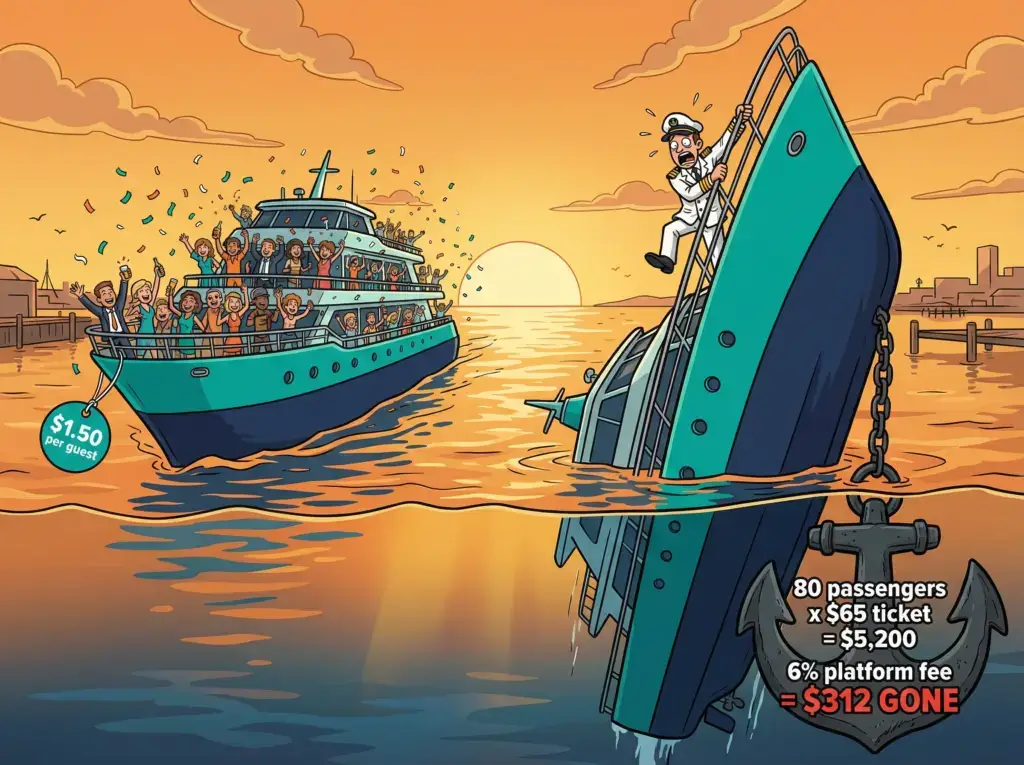
GoFish.Rocks includes 44+ features for a flat $1.50 per passenger, per trip. No setup fee, no monthly subscription, no contract. Canceled and refunded bookings cost $0.
Bottom line: pick the tool that fits how your boat runs, then check that its fee still makes sense on your busiest day and your slowest one.
Frequently asked questions
What are the most important features to look for in boat tour management software?
Start with scheduling, payments to your own merchant account, automated guest messages, a USCG-compliant manifest and real support. Then check the price model before you sign.
Do I need a waitlist feature?
If your trips sell out, yes. A good waitlist fills canceled seats without staff doing it by hand.
Should booking happen on my own website?
It helps. Guests stay with your brand through checkout, and on GoFish.Rocks there are no redirects.
How many features does GoFish.Rocks include?
GoFish.Rocks includes 44+ features for a flat $1.50 per passenger, per trip, with no monthly fee and no contract.
44+ features, one flat fee
Every GoFish.Rocks feature is included for $1.50 per passenger, with no monthly fee and no contract. See How It Works →