Affordable Boat Rental Software: The Costs Beyond the Booking Fee
Setup, training, migration, contracts, hardware, add-ons and staff time: the costs that hide around the booking fee.
 The GoFish.Rocks Team•October 10, 2026•5 min read
Quick question. When you priced your last boat, did you stop at the sticker? Of course not. You asked about the trailer, the motor hours and the thing that makes that funny noise. Software deserves the same look.
Shopping for affordable boat rental software? The booking fee is only one line on the bill. This post covers the costs that sneak in around it: setup, training, moving your data, contracts, hardware, add-ons and staff time. When you’re ready to compare, here is how GoFish.Rocks booking software handles each one.
First, a plain note on fit
GoFish.Rocks is built for captained trips: charters, open-party boats, tours and cruises. If you run a rental-only shop, where guests take the boat out without a captain, ask any provider how it handles rental needs before you sign. That includes us. The cost questions below apply either way.
What makes affordable boat rental software actually affordable?
Affordable means the total cost stays small next to your revenue, in slow months and busy ones. The booking fee is easy to see. The other costs hide in contracts, onboarding calls and your own hours.
According to the U.S. Small Business Administration’s guide to managing your finances, looking closely at money-in and money-out helps keep a healthy balance between profit and loss. Software is a money-out line. So let’s look closely.
The cheapest price on the website can turn into the priciest year on your books.
The seven costs beyond the booking fee
1. Setup fees
Some providers charge to build your account, load your trips and design your booking page. Ask for that number up front. GoFish.Rocks setup is free.
2. Training
New software means new habits. Ask if training costs extra, and whether it covers your whole crew or just one login. GoFish.Rocks training is free.
3. Moving your data
Your future bookings, guest list and trip setup all have to move. Some providers charge for that, or leave it to you (and your weekend). GoFish.Rocks migration from your current platform is free, and you can switch in as little as one week. Our guide on how to switch booking platforms walks through the steps.
4. Contracts
A long contract can cost more than any fee if the tool doesn’t work out. Ask how long the term is, and what it costs to leave early. GoFish.Rocks has no contracts, and you can cancel any month with no penalty.
5. Hardware
Some setups call for card readers, tablets or printers. Ask what you must buy, what you can skip, and who supports it. Price it before you commit, because a dock is hard on electronics (salt water always wins).
6. Add-ons
The base plan looks cheap. Then text messages, extra users, reports or reminders cost more. Ask for the full add-on list in writing. GoFish.Rocks includes 44+ features, with no per-message fees on texts and emails.
7. Staff time
This one never shows up on an invoice. But hours spent calling guests, fixing double bookings or chasing a support line are real costs.
We’ve worked with boat operators for years, and the time sinks are usually the same: weather calls, no-shows and manual manifests. Tools that help:
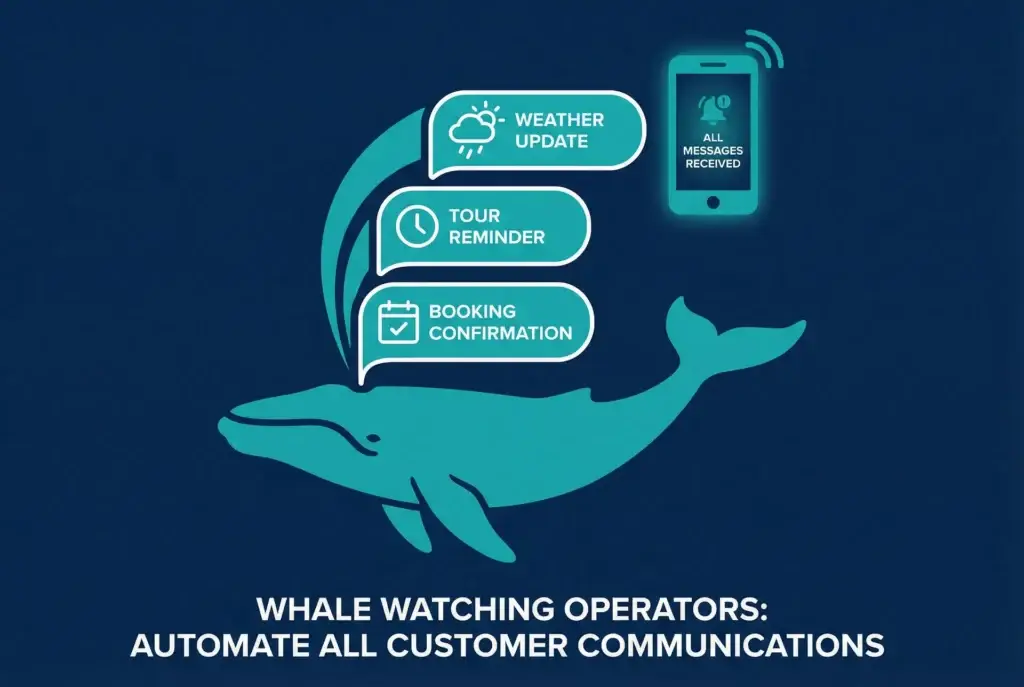
- One-click mass messages. GoFish.Rocks sends a “Trip is a Go” or weather update to every booked guest at once.
- A self-running waitlist. A cancellation texts the whole list, and the first guest to pay gets the seat.
- Automatic manifests. A USCG-compliant manifest for every departure, with a live headcount.
- Real support. US-based, same-day help, with live phone support at (805) 871-0044.
Do
- Ask for every one-time cost in writing Setup
- Ask what leaving early costs Contract
- Count your own hours, too Time
Don’t
- Buy hardware before you test the software Gear
- Assume reminders are included Add-ons
- Pay a monthly fee all winter by accident Season
What makes boat tour management software a fit for small businesses?
Small crews wear every hat. The captain is also the office, the marketing team and, some days, the bait shop. So the right tool should save hours, not add new ones.
Look for three things. First, a setup you don’t have to do alone. Second, a cost that shrinks in slow months instead of staying flat all year. Third, a real person to call when the calendar acts up. GoFish.Rocks bills at month end, only for passengers on trips that actually sailed, so a quiet month costs less. Canceled and refunded bookings cost $0. You can read how free onboarding works on our support and migration page.
Whatever tool you pick, run the same test on your slowest month and your busiest one. Affordable boat rental software should look good in both.
What should a small operator ask before signing?
Whether you’re looking at Peek Pro, FareHarbor, or us, the questions are the same. Bring this list to every call.
The true cost checklist
If the answer is “it depends,” ask what it depends on.
- Is there a setup fee, and what does it include?
- Does training cost extra for new crew?
- Who moves my data, and what does it cost?
- How long is the contract, and can I cancel any month?
- What hardware do I need to run this?
- Which features cost extra, including text messages?
- Who answers the phone on a busy summer Saturday?
For the fee side, our pricing page lays out the flat $1.50 per passenger, per trip, with no setup fee and no monthly subscription. And our page on pricing transparency explains why we keep it that simple. Running a bigger crowd? See party boat booking software.
Bottom line: add up setup, training, migration, contract, hardware, add-ons and staff time. The tool with the lowest total, not the lowest headline, is the affordable one.
Frequently asked questions
What costs should I expect with affordable boat rental software?
Beyond the booking fee, ask about setup, training, data migration, contract terms, hardware, add-ons and the staff time the tool saves or costs.
Is GoFish.Rocks built for boat rentals?
GoFish.Rocks is built for captained trips like charters, open-party boats, tours and cruises. Rental-only shops should ask any provider about rental features before signing.
Does GoFish.Rocks charge for setup or migration?
No. Setup, training and migration from your current platform are free, and there are no contracts.
Free setup. No contracts.
GoFish.Rocks includes free setup, training and migration, with a flat $1.50 per passenger and no monthly fee. See How It Works →