Whale Tour Software: How to Choose One Without Paying 6% Per Ticket
What whale tour software must handle on a busy day, and how to keep fees from growing with your ticket price.
 The GoFish.Rocks Team•September 16, 2026•6 min read
It is 9:40 on a Saturday in peak season. Your boat is out, a gray whale just surfaced off the bow, and back at the office the phone will not stop ringing. Somebody wants four seats on the 1 pm trip. Is there room? Nobody on the dock is sure.
That moment is what good whale tour software is for. It sells the seats, keeps the headcount honest and sends the texts, so your crew can watch the water. In this guide we cover what the software has to do, how to keep the fees from eating your ticket price, and what to ask before you sign. If you want the full feature list, start with our booking software for whale watching page.
What whale tour software has to do on a busy day
A six-pack fishing charter and a whale watch are different animals. (Sorry. We had to.) Your boat may carry dozens of people, run several trips a day and sell every seat one at a time. Here is what whale watching tour software should handle:
- Many departures, one calendar. Morning, midday and sunset trips, each with its own seat count. GoFish.Rocks handles single and recurring trips, overlapping departures and automatic conflict closing.
- Seasons and blackout dates. Migration does not run all year. Set seasonal availability, blackout dates and capacity limits once.
- Walk-ups and private charters together. The family at the ticket window and the group that booked the whole boat live in the same system.
- A manifest you can trust. A USCG-compliant manifest for every departure, with a real-time headcount.
- A waitlist that fills itself. Guests join with one click. When someone cancels, the whole waitlist gets a text, and the first to pay gets the seat.
Test the booking on your phone. Guests book from the parking lot. With GoFish.Rocks, the booking flow happens on your own website, with no redirect to another brand’s page.
Why a percentage fee hurts whale watching software buyers
Here’s the thing about a percentage fee: it grows every time your ticket price grows. The software does the same work for a $40 ticket and an $80 ticket. So why should the fee double?
GoFish.Rocks charges a flat $1.50 per passenger, per trip. No percentage, no setup fee, no monthly subscription and no contract. You can pass the $1.50 to guests or absorb it. Here is one simple example for a full trip:
| Fee model | Per $60 ticket | 60-guest trip |
|---|---|---|
| 3% booking fee | $1.80 | $108 |
| 6% booking fee | $3.60 | $216 |
| GoFish.Rocks flat rate | $1.50 | $90 |
Example math only. The 3% and 6% rows are generic example rates, not a quote from any company.
That is $126 back on one trip compared with a 6% fee. Run three trips a day and you can do the rest of the math over coffee. Want the longer version? Read our guide to subscriptions versus passenger pricing.
Weather calls without the headache
We’ve worked with charter and tour boat operators for years, and the dawn weather call never gets easier. The wind comes up, the swell builds, and now you have a full boat of people to reach before they leave the hotel.
With GoFish.Rocks, a canceled or refunded trip costs you $0, weather included. We bill at month end, after you have been paid, and only for guests on trips that actually sailed. You pay nothing on the days you made nothing. Our post on how to handle weather trip cancellations covers the policy side.
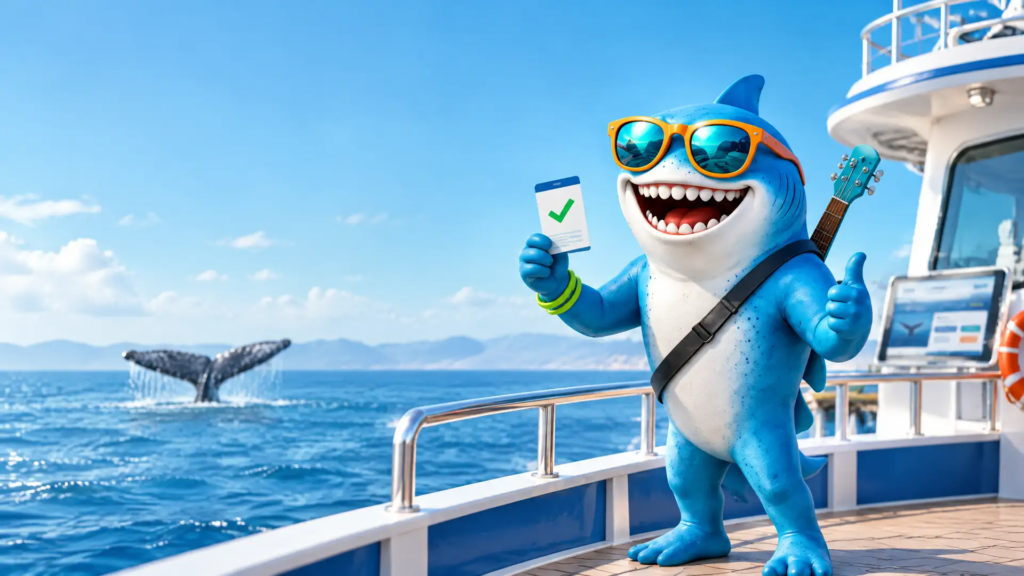
On good days, the “Trip is a Go” button sends one update to every booked guest. And when a guest swears they never got the text (there is always one), the delivery log settles it. See how customer communication works, with no per-message fees.
Sightings, reviews and your website
Fresh sightings sell tomorrow’s trip. GoFish.Rocks lets you embed whale sighting reports on your own site, so shoppers can see what your boat has been finding.
Happy guests matter too. After the trip, guests give a thumbs-up or thumbs-down. Happy guests get sent to Google, Yelp or TripAdvisor. Unhappy guests go to a private feedback channel, so you can fix things before they turn into a one-star review.
Be a good neighbor to the whales, too. According to NOAA Fisheries’ marine life viewing guidelines (checked September 2026), people should stay at least 100 yards from whales, and rules vary by region and species. Share that page with your crew and your guests before the season starts.
How to choose the best software for whale watching tours
The best software for whale watching tours is the one that fits how your boat runs. Before you sign, bring these to every demo:
Do ask
- Is the fee a percent or a flat rate? Fees
- What do I pay when weather cancels a trip? Refunds
- Where does my money land, and how fast? Payouts
- Who picks up the phone on a July Saturday? Support
Don’t settle for
- A checkout that sends guests to another site. Checkout
- A manual waitlist run from a notepad. Waitlist
- A long contract you can’t leave. Terms
- Fees you can’t explain to your bookkeeper. Clarity
On payouts, GoFish.Rocks plugs into your own merchant account, including our fair credit card processing option. We never hold your money, and most operators see deposits within 24 hours.
What to do next
Make a short list, ask the same questions to every vendor, and get the answers in writing. If GoFish.Rocks makes your list, setup, training and migration are free, and you can switch in as little as one week. Call a real person at (805) 871-0044.
Frequently asked questions
What is whale tour software?
It is booking software built for whale watching trips. It sells seats across many departures, tracks the headcount, and sends confirmations and weather updates.
What does whale watching software cost on GoFish.Rocks?
GoFish.Rocks charges a flat $1.50 per passenger, per trip. There is no percentage, no setup fee, no monthly subscription and no contract.
Do I pay fees when weather cancels a trip?
Not on GoFish.Rocks. Canceled and refunded bookings cost $0, and billing only counts guests on trips that actually sailed.
Can guests book on my own website?
Yes. The GoFish.Rocks booking flow happens on your own website, with no redirects.
Fill every seat on every whale watch
GoFish.Rocks charges a flat $1.50 per passenger with no setup fee or contract, and weather cancellations cost $0. Book a Free Demo →